Streaming logs
You can stream logs to Splunk via the Splunk Add-on for Google Cloud Platform.
This feature must first be enabled for your domain by contacting support@camio.com.
Camio creates a custom Log Router for your domain that writes events to the Cloud Pub/Sub topic, from which your Splunk Add-on pulls logs with the JSON payload.
Events logged to Splunk
| Key | Definition |
| Box State Sampled | Camio servers contacted the Box to get all of the settings and status |
| Box Config Changed | A user made a change to a Box setting |
| App Open | A user has opened https://camio.com/app (or refreshed) |
| Account Created | A new user was created at https://camio.com/app |
| Box Claimed | An attempt to register a Box was made |
| Box Deleted | A Box was deleted from an Account |
| Box Registered | A Box was registered to an Account |
| Camio Created | An event was shared via a link or Saved |
| Guest Added | A new Guest Account was created under the Account |
| Searched | A user searched for events or refreshed the real time feed |
| Sign in | A user has presented credentials to sign in |
| Sign out | A user signed out at https://camio.com/app |
| Zone Created | A new zone was created at https://camio.com/app/editor/?camera= |
| Label Updated | A label was added, updated, or deleted |
| Domain Changed | A setting at https://camio.com/domains was changed |
| Cameras Exported | Cameras were exported from a Box at https://camio.com/boxes |
| Download | A user downloaded event(s) as a Zip or CSV file |
| Removed | A user has Removed an event from the feed |
| Live Stream Interaction | A user started or stopped a live stream via https://camio.com/app/#live |
| Policy Acknowledged | A user acknowledged a domain's usage policy |
Payload
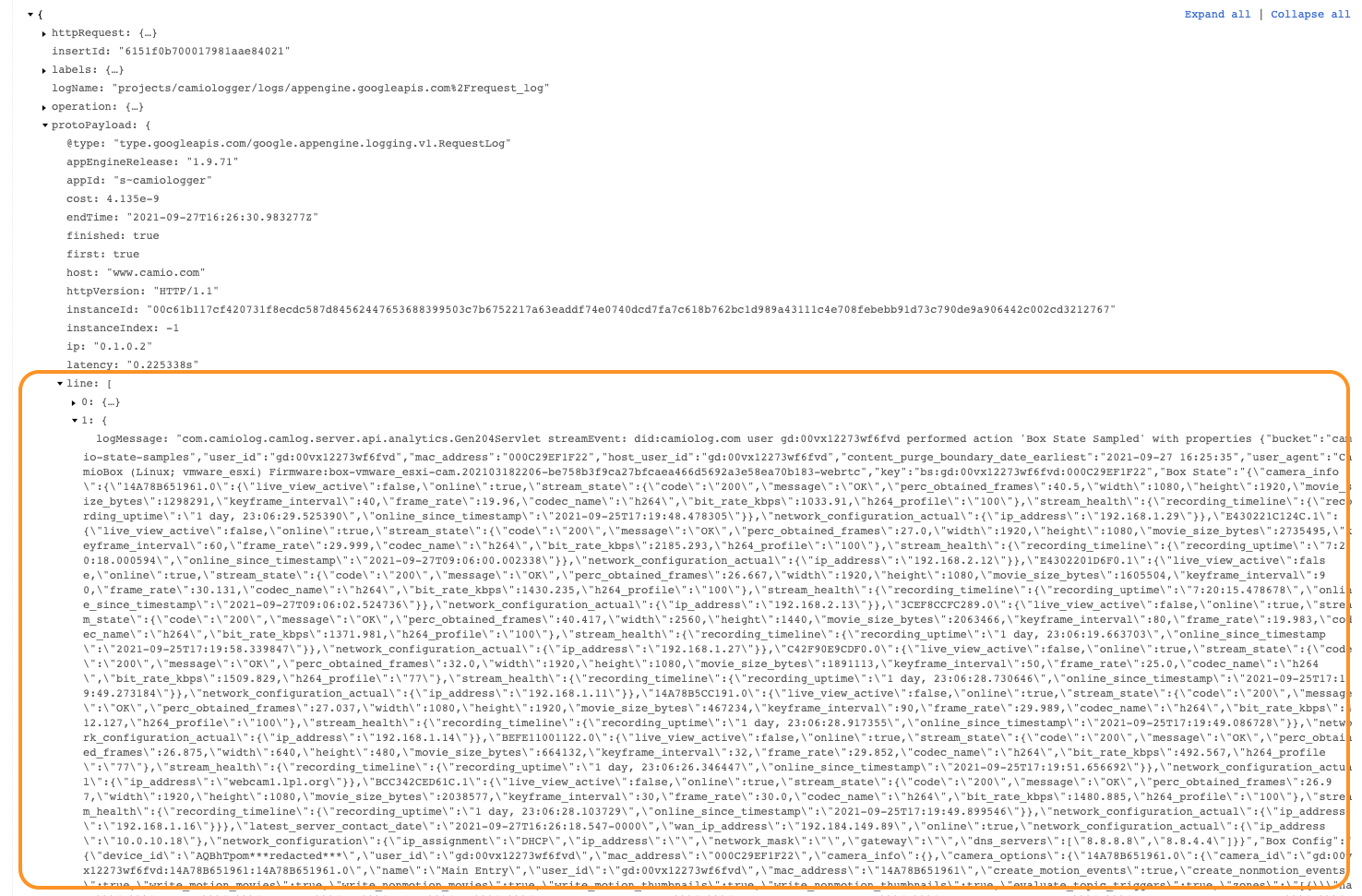
The payload of each event above is a JSON object that includes one or more lines in the protoPayload.
For example, protoPayload.line[1].logMessage looks like this for the "Box State Sampled" event:
Comments